
3D Rotation
Symbols and Solids can be rotated in 3D space.


Copy
Time it takes to copy a Symbol reduced.
Kohler
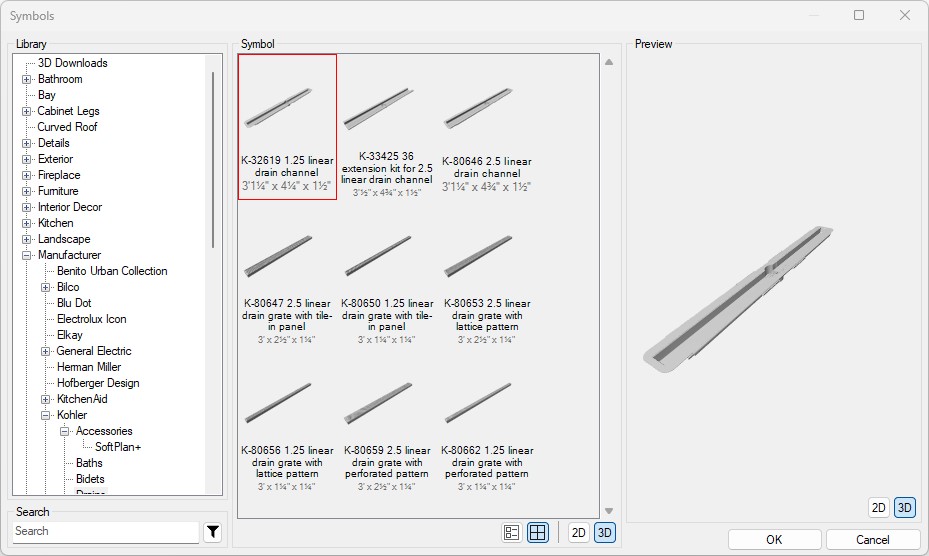
Linear drains added to the Kohler manufacturer content library.
Polygons
Symbols comprised of polygons will appear properly when set to display as Dashed or Hidden.

SketchUP
Download 3D command added to File > Import within a 3D model, allows SketchUp files to be directly inserted in a SoftPlan 3D model.
Adding to SoftPlan’s extensive selection of 3D customization tools, SoftPlan 2026 includes the ability to import SketchUp symbols directly into the 3D model. After a few clicks of the mouse, SoftPlan opens SketchUp’s 3D Warehouse in a browser window where 3D symbols can be quickly located and downloaded as SketchUp files. Once the file is downloaded, SoftPlan automatically imports the 3D symbol into a “3D Downloads” library and creates a 2D symbol counterpart for use in the project. The ability to directly import 3D symbols from SketchUp’s vast library into the model greatly expands the level of 3D presentation possible in SoftPlan.
Symbol Wizard
Generating the two dimensional representation of the 3D model is faster.
Tools
Workshop folder added.

Vines
Vines added to the Vegetation folder.
